
Granting Delegate Access to GoDaddy
Granting delegate access to Glimmernet is a great way to allow Glimmernet access to manage the technical aspects of the domain while you maintain ownership. The added benefit is that we don’t need to know your password and each of our accounts can be individually secured with two factor authentication for added security.
This article is specific to GoDaddy domains. We also have articles for Namecheap, Network Solutions, Cloudflare, Gandi, and Microsoft 365.
How to Grant Delegate Access to Glimmernet
The GoDaddy article on this process is quite good and explains the entire process, complete with screenshots of each step. The article can be found at Invite a delegate to access my GoDaddy account
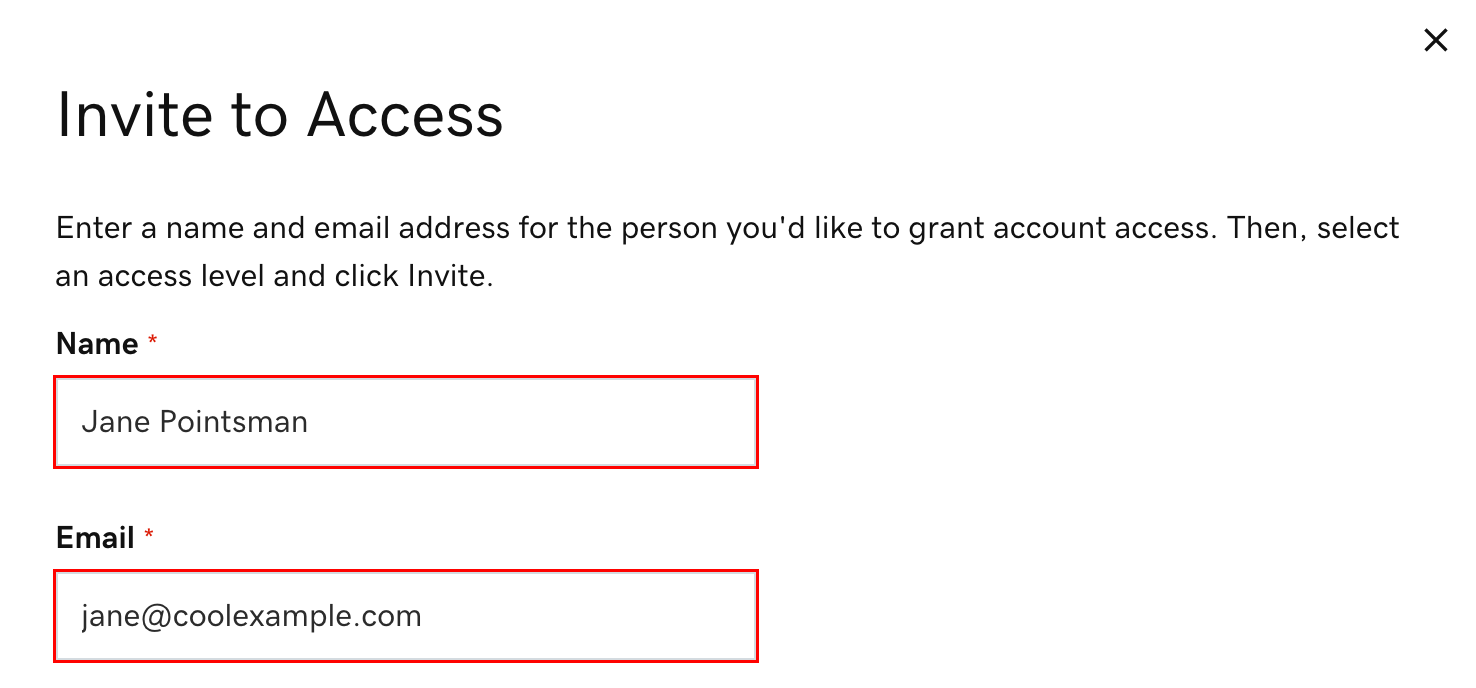
In step #3, you will be asked for two pieces of information:
- Name: This can be anything, but we recommend entering “Glimmernet” or “Glimmernet Technologies”
- Email Address: [email protected]
In Step #4 you will be asked for the level of access you wish to grant. Most customers benefit from granting Glimmernet “Products, Domains, & Purchase”, which gives us the greatest flexibility for supporting your business while making sure you maintain complete control over your domain portfolio. You can read about the different levels of access at Delegate access: Levels of permission
Important note
After you click “Invite”, an email will be sent to the Glimmernet address you entered in step 3, however this mailbox isn’t constantly monitored throughout the day. Please email your account representative to let them know you have sent the invitation so that we can accept the account delegation right away.